Email Marketing for Restaurants
Write your next restaurant email in a minute. Free, no signup.
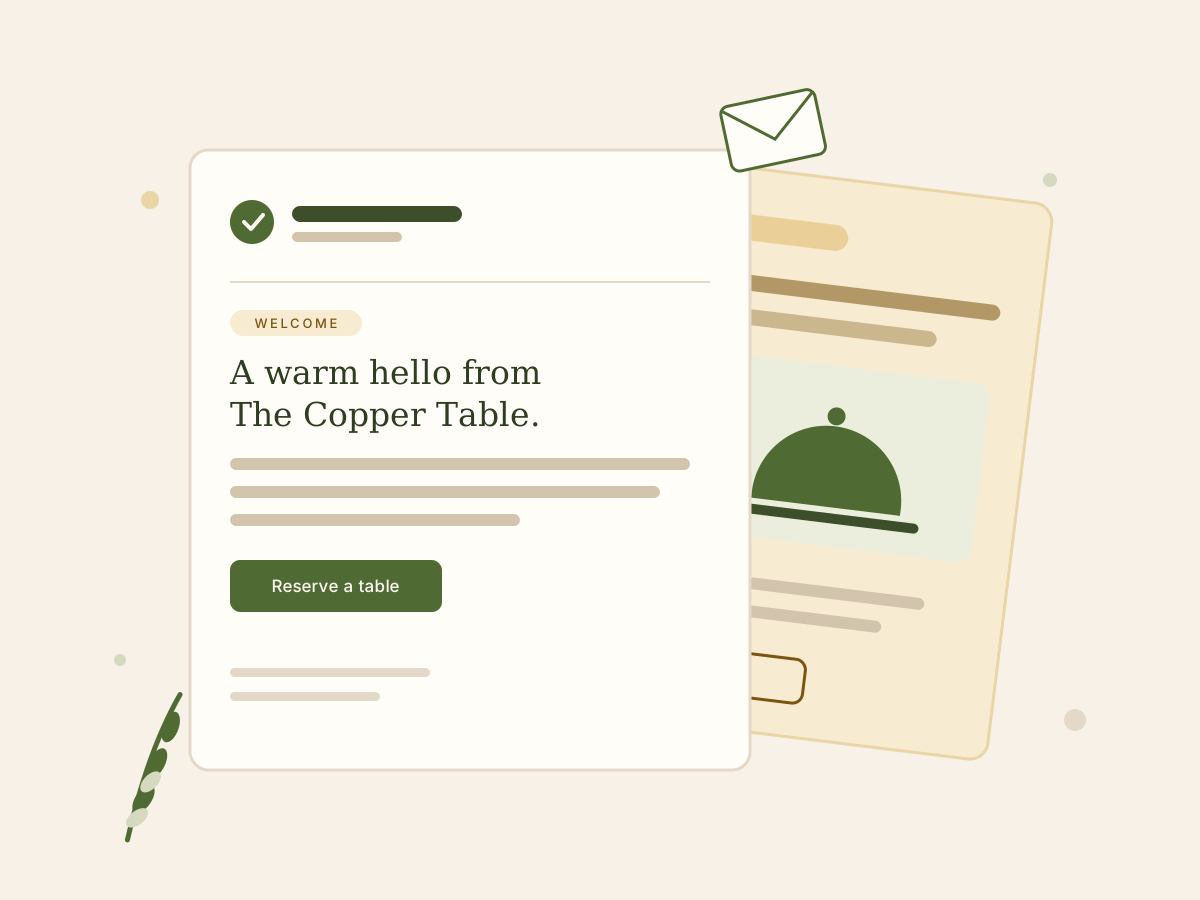
Email marketing for restaurants is sending planned emails to guests who asked to hear from you: welcome notes, birthday offers, new-menu news and slow-night specials. Done well, it brings people back more often. It works best with your own opt-in list and a simple monthly rhythm, not daily blasts.
- Free
- No signup
- Every template free to copy
- We don't sell email software
Your email
ExampleFictional restaurant. Your email will use only the details you enter.
- Juniper Table
- Italian
- Birthday offer
- Friendly
- Short
Your birthday tiramisu is on us
Book within 14 days of this email and dessert is our treat.
Hi there,
Happy birthday from all of us at Juniper Table! Birthdays deserve a proper Italian dinner, and we'd love to host yours.
Book a table within 14 days of this email, and the birthday guest's tiramisu is on us. Just show this email to your server when you order. It's good for dine-in only, at any table size.
Round up your favorite people and make a night of it. We'll take care of dessert.
See you soon,
The Juniper Table team
Reserve your birthday table
Button link [Reservation Link]
Why this works
- It opens with the birthday, not the discount, so it reads like a note from a host.
- A clear 14-day window gives guests a reason to book soon.
- One button and an easy way to redeem: show the email to your server.
Fill in before sending
- [Reservation Link]
For email platforms that accept custom HTML.
This is a draft. Check dates, offers and links, and make sure your email platform adds an unsubscribe link and your address.
Copy or download before you leave. We don't save drafts.
Send it with your email platform
Already use Toast, Square or Mailchimp? Paste it there.
- MailerLiteFree up to 250 subscribers. Good for small lists. (opens in a new tab)
- Constant ContactFree trial, then from $12/mo. Guided setup. (opens in a new tab)
- BrevoPlans sized by emails sent each month. (opens in a new tab)
Want to save your restaurant's details and plan a year of emails? Join the Pro waitlist
No. 01Templates
Start from a free template
Every template is free to copy, no email required. Pick one to load it into the generator, or open it and copy it as is.
- Right after sign-upWelcomeSay hello the moment someone joins your list.“Welcome to [Restaurant Name]”
- 7 days before their birthdayBirthday offerA birthday treat that gives guests a reason to book.“Happy birthday from [Restaurant Name]”
- After 60+ days without a visitWin-backA warm note for guests you haven't seen in a while.“Come see what's new at [Restaurant Name]”
- The week the menu launchesNew menuAnnounce new dishes or a menu change.“Our new menu starts [Date]”
- 2–3 weeks before the eventEvent invitationInvite guests to a tasting, live music or a special night.“You're invited: [Event Name], [Date]”
- Early in the week, for that weekSlow-night specialGive guests a reason to come in on a quieter night.“Make [Day] your night out”
- 1–2 weeks before it endsLimited-time offerPromote a deal with a clear end date.“[Offer], through [Date]”
- After a second visit, if your system tracks visitsLoyalty programInvite guests to join your rewards program.“Earn rewards every time you dine”
- 2–4 weeks before the holidayHolidayShare holiday hours, menus or reservations.“[Holiday] at [Restaurant Name]”
- 4–6 weeks before busy seasonsCatering & group ordersRemind offices and party planners that you cater.“Feeding a group? We cater”
- The day after a visitReview requestAsk every guest for an honest review after a visit.“How was your visit?”
- Same day each monthMonthly newsletterA monthly roundup of what's new and what's coming up.“[Month] at [Restaurant Name]”
No. 03Software
Which email platform should a restaurant use?
Start with what you already pay for. If you run Toast or Square, try their built-in email marketing first: your guest list is already there. If you need a standalone tool, pick one with a free or low-cost plan, simple automations and an easy way to import guests.
Already in your POS
Best for
Restaurants already running Square POS
Square Marketing (opens in a new tab)
- Built-in AI writer
- Check
- Free plan
- See official site
- Paid plans from
- Included with Square Plus ($49/mo)
- How it connects
- Built into Square POS and its customer directory
Best for
Restaurants already running Toast POS
Toast Marketing (opens in a new tab)
- Built-in AI writer
- Yes
- Free plan
- See official site
- Paid plans from
- See official pricing
- How it connects
- Built into Toast POS and Toast Online Ordering
Standalone email platforms
Best for
A few campaigns a month on a small budget
- Built-in AI writer
- Paid plans
- Free plan
- Yes
- Paid plans from
- $9/mo (Starter, 5,000 emails/mo)
- How it connects
- CSV import or its integrations (check for your POS)
Best for
Owners who want a guided, all-in-one email tool
Constant Contact (opens in a new tab)
- Built-in AI writer
- Yes
- Free plan
- Free trial only
- Paid plans from
- $12/mo (Lite)
- How it connects
- CSV import or one of its 300 integrations
Best for
Restaurants that also sell products online
- Built-in AI writer
- Check
- Free plan
- Up to 250 profiles, 500 emails/mo
- Paid plans from
- See official pricing
- How it connects
- CSV import or its integrations (check for your POS)
Best for
A familiar, all-round email tool
Mailchimp (opens in a new tab)
- Built-in AI writer
- Standard plan and up
- Free plan
- Up to 250 contacts, 500 sends/mo
- Paid plans from
- $13/mo (Essentials)
- How it connects
- CSV import or its integrations (check for your POS)
Best for
Small lists on a tight budget
MailerLite (opens in a new tab)
- Built-in AI writer
- Paid plans
- Free plan
- Up to 250 subscribers, 2,500 emails/mo
- Paid plans from
- $12/mo (Comfort)
- How it connects
- CSV import or one of its 100+ integrations
Restaurant all-in-one
Best for
Owners who want ordering, loyalty and marketing in one platform
Owner.com (opens in a new tab)
- Built-in AI writer
- Yes
- Free plan
- No
- Paid plans from
- $249/mo + 5% per order, or $499/mo
- How it connects
- Built into Owner's website, online ordering and loyalty
| Platform | Best for | Built-in AI writer | Free plan | Paid plans from | How it connects |
|---|---|---|---|---|---|
| Already in your POS | |||||
| Square Marketing (opens in a new tab) | Restaurants already running Square POS | Check | See official site | Included with Square Plus ($49/mo) | Built into Square POS and its customer directory |
| Toast Marketing (opens in a new tab) | Restaurants already running Toast POS | Yes | See official site | See official pricing | Built into Toast POS and Toast Online Ordering |
| Standalone email platforms | |||||
| Brevo (opens in a new tab) | A few campaigns a month on a small budget | Paid plans | Yes | $9/mo (Starter, 5,000 emails/mo) | CSV import or its integrations (check for your POS) |
| Constant Contact (opens in a new tab) | Owners who want a guided, all-in-one email tool | Yes | Free trial only | $12/mo (Lite) | CSV import or one of its 300 integrations |
| Klaviyo (opens in a new tab) | Restaurants that also sell products online | Check | Up to 250 profiles, 500 emails/mo | See official pricing | CSV import or its integrations (check for your POS) |
| Mailchimp (opens in a new tab) | A familiar, all-round email tool | Standard plan and up | Up to 250 contacts, 500 sends/mo | $13/mo (Essentials) | CSV import or its integrations (check for your POS) |
| MailerLite (opens in a new tab) | Small lists on a tight budget | Paid plans | Up to 250 subscribers, 2,500 emails/mo | $12/mo (Comfort) | CSV import or one of its 100+ integrations |
| Restaurant all-in-one | |||||
| Owner.com (opens in a new tab) | Owners who want ordering, loyalty and marketing in one platform | Yes | No | $249/mo + 5% per order, or $499/mo | Built into Owner's website, online ordering and loyalty |
Scroll sideways for all columns.
Prices and plans from official pages, checked October 2026. Listed in groups, not ranked. We don't earn commissions from these links.
See the full comparisonNo. 04Quick start
How to start email marketing for your restaurant
You don't need a big list or a marketing team to start. You need a way to collect emails with permission, a platform to send from, three automated emails and a simple monthly rhythm. Here's the order we'd do it in, with one task you can finish today for each step.
Collect emails with permission
Ask for an email wherever guests already share details with you: online orders, reservations, Wi-Fi sign-in, a QR code on the table. Tell them what they'll get, such as one email a month and a birthday treat, so signing up feels worth it. Never buy a list or add people who didn't opt in.
Do this todayAdd an email opt-in checkbox to your online ordering or reservation checkout.
How to build a restaurant email listUse what you have, or pick one platform
Check whether your POS or reservation system already includes email marketing. If it does, start there, because your guest data is already connected. If not, choose a standalone platform with a free or low-cost plan. Don't spend weeks comparing; you can move your list later.
Do this todayLog in to your POS and look for a Marketing or Email tab.
Best email marketing software for restaurantsTurn on three automations
Set up emails that send themselves: a welcome email when someone joins, a birthday email a week before their birthday, and a win-back email for guests you haven't seen in about two months. Write them once and they keep working while you run the restaurant.
Do this todayWrite your welcome email from our free template.
Restaurant welcome email templateSend two to four campaigns a month
Plan around real reasons to visit: a new dish, an event, a holiday, a slow night you want to fill. Keep each email to one message and one button. Consistency matters more than volume, so pick a send day and stick to it.
Do this todayPut next month's two campaigns on your calendar.
Restaurant email marketing calendarTrack four numbers
After each send, check list growth, click rate, unsubscribe rate and redemptions: bookings, orders or offer codes used. Opens are unreliable now because mail apps load emails for privacy reasons, so judge what works by clicks and redemptions.
Do this todayWrite down your current list size so you can see next month's growth.
No. 05Playbook
10 restaurant emails worth sending
Most restaurant email programs come down to ten emails. Start with the first three, because they run on autopilot once they're set up. Add the rest as your calendar fills: menu news, events, slow nights, holidays, loyalty, reviews and a monthly newsletter.
Welcome
Right after someone signs up“Welcome to the table, from all of us”
Birthday
7 days before a guest's birthday“Your birthday dessert is on us”
Win-back
After about 60 days without a visit“Come see what's new on the menu”
New menu
The week a new menu or dish launches“Five new dishes, starting Thursday”
Event
2–3 weeks before the event“Wine night is back on the 14th”
Slow-night special
Early in the week, for that week“Make Tuesday your pasta night”
Holiday
2–4 weeks before the holiday“Mother's Day brunch tables are open”
Loyalty
After a guest's second visit“Your next visit earns a reward”
Review request
The day after a visit“How was dinner last night?”
Monthly newsletter
The same day each month“This month: new menu and live jazz”
No. 06Your list
Your list matters more than your software
The best email does nothing if it reaches forty people, so growing your list is the highest-return work you can do. Guests already share their details at several points in a visit. Add a clear, optional sign-up at each one, and say exactly what they'll get.
Online ordering
Add an opt-in checkbox at checkout. It's often a setting in your ordering system.
Reservations
Turn on marketing opt-in in your booking platform, unchecked by default.
POS and receipts
Offer digital receipts at checkout, with a separate box for marketing emails.
Guest Wi-Fi
Use a Wi-Fi sign-in page that asks for an email and explains what they'll get.
Table tents and QR codes
Link a QR code to a short form: “Join for a birthday treat.”
Website and social
Put a sign-up form on your homepage and a link in your social bios.
Loyalty and birthday club
Rewards give guests a reason to share an email, and their birthday.
Host stand and events
Keep a sign-up tablet or sheet at the host stand and at tastings.
Keep marketing opt-in separate from receipts and booking confirmations.
How to build a restaurant email listNo. 07Benchmarks
What results should a restaurant expect?
Expect wide ranges. Published restaurant open rates run from 18.5% to 44.32%, depending on the platform and how it counts opens, and Apple Mail's privacy feature inflates opens. Clicks, bookings and redeemed offers are better measures. Compare each send with your own recent emails, not someone else's average.
MailerLite (opens in a new tab)
Restaurants and cafes
- Open rate
- 44.32%
- Click rate
- 1.06%
- Unsubscribe rate
- 0.39%
- Data period
- Dec 2024 – Nov 2025
Median. Unique opens and clicks across MailerLite campaigns.
Constant Contact (opens in a new tab)
Dining and Food Services
- Open rate
- 31.09%
- Click rate
- Not published
- Unsubscribe rate
- Not published
- Data period
- Jan – Mar 2026
Average. Total opens divided by delivered emails.
Campaign Monitor (opens in a new tab)
Restaurant, Food & Beverage
- Open rate
- 18.5%
- Click rate
- 2.0%
- Unsubscribe rate
- Not published
- Data period
- Page last updated Aug 2024
Older dataset; click-through rate is clicks divided by delivered emails.
| Source | Category | Open rate | Click rate | Unsubscribe rate | Data period |
|---|---|---|---|---|---|
| MailerLite (opens in a new tab)Median | Restaurants and cafes | 44.32% | 1.06% | 0.39% | Dec 2024 – Nov 2025 |
| Constant Contact (opens in a new tab)Average | Dining and Food Services | 31.09% | Not published | Not published | Jan – Mar 2026 |
| Campaign Monitor (opens in a new tab) | Restaurant, Food & Beverage | 18.5% | 2.0% | Not published | Page last updated Aug 2024 |
Scroll sideways for all columns.
- MailerLite
- Unique opens and clicks across MailerLite campaigns.
- Constant Contact
- Total opens divided by delivered emails.
- Campaign Monitor
- Older dataset; click-through rate is clicks divided by delivered emails.
Each source measures differently, so we show them side by side instead of averaging.
Why opens mislead: Apple Mail Privacy Protection can load an email, and count an open, without anyone reading it. Litmus, What Mail Privacy Protection Means for Email Marketers (opens in a new tab)
When to send
- Weekend specials and events: about three days ahead (Wednesday for Saturday).
- Same-day lunch promotions: 9:30–10:30 a.m.
- Same-day dinner promotions: 3–4 p.m.
- Holidays: start at least a week before.
Campaign Monitor, A Guide to Email Marketing for Restaurants (opens in a new tab)
How often
Our suggestion
Two to four campaigns a month, plus automated welcome, birthday and win-back emails. Slow down if your unsubscribe rate climbs after a send.
No. 08Calendar
A year of restaurant emails at a glance
Plan around the dates your guests already care about. Each month below has one theme, the occasion to build it around and a subject line to start from. Swap in dates that matter more to your cuisine and your neighborhood, and use quieter months for slow-night specials.
January
Beat the January slump
Dry January · All of January
“Zero-proof drinks worth going out for”
Write this emailFebruary
Date night
Valentine's Day · Feb 14
“Valentine's Day tables are open”
Write this emailMarch
Spring kickoff
St. Patrick's Day · Mar 17
“St. Patrick's Day plans start here”
Write this emailApril
Brunch season
Easter brunch · Easter Sunday (date varies)
“Easter brunch reservations are open”
Write this emailMay
Celebrate mom
Mother's Day · 2nd Sunday in May
“Mother's Day, sorted: book your table”
Write this emailJune
Summer nights
Father's Day · 3rd Sunday in June
“Take Dad out for Father's Day”
Write this emailJuly
Summer hours
Fourth of July · Jul 4
“Our Fourth of July hours”
Write this emailAugust
Beat the August lull
Back-to-school week · Mid to late August
“Back-to-school week? Skip the dishes”
Write this emailSeptember
New season, new menu
Fall menu launch · Early fall (you pick the date)
“Fall flavors are back on the menu”
Write this emailOctober
Cozy and a little spooky
Halloween · Oct 31
“Costumes welcome this Halloween”
Write this emailNovember
Gatherings and gratitude
Thanksgiving · 4th Thursday in November
“Let us handle the Thanksgiving sides”
Write this emailDecember
Gifts and parties
Holiday gift-card season · All of December
“The easiest gift on your list”
Write this email
Common U.S. occasions. Dates marked “varies” change every year.
Restaurant email marketing calendarNo. 09FAQ
Restaurant email marketing FAQ
What is restaurant email marketing?
Restaurant email marketing is sending planned emails to guests who asked to hear from you: welcome notes, birthday offers, new-menu news, event invites and slow-night specials. The goal is more repeat visits from people who already know you. You write the emails; an email platform stores your list, sends them and handles unsubscribes.
Does email marketing actually work for restaurants?
It can, when you have a real list and send useful emails. A restaurant email reaches guests who chose to hear from you, and it costs little to send. Results depend on your list and your offers, so track clicks, bookings and redeemed offers rather than opens. With a very small list, build the list first.
How often should a restaurant send marketing emails?
Start with two to four campaigns a month, plus automated welcome, birthday and win-back emails. That keeps you in mind without wearing out your list. Send more only when you have real news, such as a new menu, an event or a holiday, and watch your unsubscribe rate. If it climbs after a send, slow down.
What is the best time to send restaurant emails?
There's no single best time, so plan backward from when guests decide. Campaign Monitor suggests sending weekend specials about three days ahead (Wednesday for Saturday), same-day lunch promotions around 9:30 to 10:30 a.m., dinner promotions around 3 to 4 p.m., and holiday emails at least a week before. Then test two send times on your own list.
RelatedCampaign Monitor, A Guide to Email Marketing for Restaurants (opens in a new tab)
What is a good open rate for restaurant emails?
Published restaurant benchmarks range from 18.5% (Campaign Monitor) to a 44.32% median (MailerLite, December 2024 to November 2025), because platforms count opens differently and Apple Mail inflates them. Compare each email with your own recent sends instead, and watch clicks: MailerLite's restaurant median click rate is 1.06%.
RelatedMailerLite benchmarks (opens in a new tab)Campaign Monitor benchmarks (opens in a new tab)
How do I collect customer emails at my restaurant?
Ask wherever guests already give you details: online ordering and reservation checkouts, your POS or receipt screen, guest Wi-Fi sign-in, a QR code on table tents, a sign-up form on your website, and your loyalty or birthday club. Always say what they'll get and how often, and never add people who didn't opt in.
What should a restaurant marketing email include?
One clear reason to visit, the details guests need (dates, times, the offer and when it ends) and one button: reserve, order or call. Add a short, specific subject line and a preview line that adds a second detail. Your email platform adds your address and an unsubscribe link. Keep it readable on a phone in under a minute.
What is the best email marketing platform for a small restaurant?
The one that fits what you already use. If your POS or reservation system includes email marketing, start there, because your guest data is already connected. If not, pick a standalone platform with a free or low-cost plan, simple welcome and birthday automations, and an easy way to import guests. Our comparison shows who each option fits.
How much does restaurant email marketing cost?
For a small list it can be free: Mailchimp's and MailerLite's free plans cover up to 250 contacts. Paid plans start around $9 to $13 a month (Brevo, Constant Contact, MailerLite, Mailchimp) and rise with list size or sends. POS-based marketing is priced with your POS. Prices checked October 2026.
Should restaurants use email or SMS marketing?
Use each for a different job. Email suits longer news like menus, events and newsletters, and costs less per message. Texts get read quickly, so save them for short, timely notes such as a same-day opening. SMS needs its own opt-in and wears out its welcome faster, so send texts far less often than emails.
Can I email customers who made a reservation but never subscribed?
Not for marketing, as a rule. A booking confirmation is a transactional email, and treating that address as a marketing contact can break your email platform's terms and annoy guests. U.S. law, the CAN-SPAM Act, also sets rules for commercial email. Add an opt-in checkbox to booking and ordering instead. This isn't legal advice.
RelatedFTC: CAN-SPAM Act compliance guide (opens in a new tab)
What makes a good restaurant email subject line?
It's specific, short and honest: name the dish, event or offer and the timing. “Tuesday pasta night: dessert's on us” beats “Don't miss out!” Keep it short so phones don't cut it off, skip ALL CAPS and stacked punctuation, and pair it with a preview line that adds a second detail.
RelatedRestaurant email subject linesRestaurant email subject line generator
How do I measure the ROI of restaurant email marketing?
Count what you can trace: bookings and orders from email links, redeemed email-only offers, and the revenue on those orders. Compare that with your platform fee and your time. Not all of it is extra, since some guests would have come anyway, so hold back a small group from an offer when you can and compare.
No. 10About this guide
Independent, and sourced
Written and maintained by the editors of Email Marketing for Restaurants. We don't sell email software and don't earn commissions from the platforms we mention. Every number on this page links to its source.
Last updated
Sources
- MailerLite, Email marketing benchmarks by industry (opens in a new tab)
- Constant Contact, What is a good open rate for email? (opens in a new tab)
- Campaign Monitor, What are good open rates, CTRs and CTORs? (opens in a new tab)
- Campaign Monitor, A Guide to Email Marketing for Restaurants (opens in a new tab)
- Litmus, What Mail Privacy Protection Means for Email Marketers (opens in a new tab)
- FTC, CAN-SPAM Act: A Compliance Guide for Business (opens in a new tab)
- Official pricing pages of each platform in the comparison